
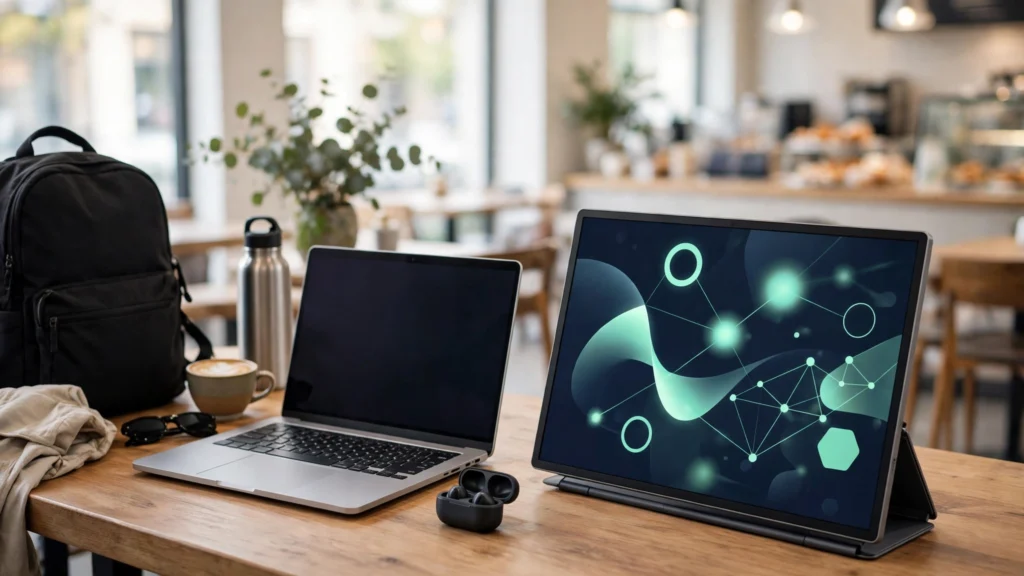
Best Portable Monitors 2026: 7 Picks for Work, Travel and Gaming
The best portable monitors 2026 has to offer solve a simple problem: a laptop screen is rarely enough. Whether you are working from a hotel room, studying in a library, editing on the move or gaming away from your desk, a second screen changes how much you can get done. A portable monitor slips into your bag, connects with a single USB-C cable, and gives you the extra space you normally only get at a desk. The category has matured fast, and in 2026 you can choose from budget 1080p screens under $100 to a stunning 4K OLED flagship — but the differences between them matter more than the marketing suggests.
This guide picks seven portable monitors that cover the real use cases: work, travel, study and gaming. Prices below are as reported and may change, so check the current price before you buy. More importantly, we explain what to check before you spend anything, because a portable monitor that does not work with your laptop’s USB-C port is just an expensive paperweight. By the end, you should know exactly which pick fits your bag, your budget and your workflow.
How to Choose a Portable Monitor: The Checks That Matter
Before the picks, the buying advice that saves most people from a return. The single most important check is your laptop’s USB-C port: it must support DisplayPort Alt Mode video output. Not every USB-C port carries video. Many budget laptops have USB-C ports that handle charging and data only, and a portable monitor connected to one of those will either show nothing or demand a separate HDMI connection. Check your laptop’s specifications or manual for “DisplayPort Alt Mode” or “video output” before you buy. If your port does not support it, you will need a monitor with HDMI input and a separate power source, or a different laptop connection entirely.
Next, think about brightness. Portable monitors are often used in bright rooms, near windows or outdoors, and a dim screen becomes unreadable fast. If you work in varied lighting, prioritise a brighter panel. Weight matters just as much: a monitor that weighs over 2 lb with its cover and cable starts to feel like a burden in a slim bag. Check the weight with the stand or cover included, not just the bare panel, because that is what you will actually carry.
The stand or cover is another overlooked detail. Some portable monitors include a folding smart cover that doubles as a stand; others need a separate kickstand or a case. A good built-in stand means one less thing to carry and a quicker setup. Power draw is the final practical question. Most portable monitors can run from a single USB-C cable drawing power from your laptop, which is wonderfully simple — but it also drains your laptop battery faster. Some monitors need a separate power supply for full brightness, so decide whether single-cable convenience or maximum brightness matters more to you. A monitor with a second USB-C port for pass-through power gives you the best of both worlds.
Best Portable Monitors 2026: At a Glance
1. Dell Pro 14 Plus P1425 — Best for Office Work
The Dell Pro 14 Plus P1425, priced at $259.99 as reported, is the kind of monitor that disappears into your working day in the best possible way. Its 14-inch panel runs at 1920×1200 resolution, which gives you a little more vertical space than standard 1080p — genuinely useful for documents, spreadsheets and email. The 60Hz IPS panel will not excite gamers, but for office work it is sharp, consistent and easy on the eyes.
2. Lenovo ThinkVision M14t Gen 2 — Best Touchscreen Pick
The Lenovo ThinkVision M14t Gen 2, at $297 as reported, adds something none of the other picks here offer: touch, with a stylus included. Its 14-inch panel runs at 2240×1400, sharper than standard 1080p, and touch support turns the second screen into a sketching, annotating and navigating surface. If you mark up documents, sketch ideas, sign forms or present to someone sitting next to you, touch changes how you use the monitor.
3. Arzopa Z3FC — Best for Gaming on a Budget
The Arzopa Z3FC, at $169.99 as reported, is the value surprise of this list. Its 16.1-inch IPS panel runs at 2560×1440 resolution with a 180Hz refresh rate — specifications that would have cost far more a few years ago. For gaming, the combination of higher resolution and high refresh rate means smoother motion and sharper detail, whether you are playing fast competitive titles or slower story-driven games. For work, the extra resolution gives you more room for windows side by side.
The larger 16.1-inch size is both a benefit and a consideration. You get a bigger canvas, but you also carry a bigger panel, so make sure your bag has room. Arzopa has built a reputation for affordable portable monitors that punch above their price, and the Z3FC is the clearest example. If gaming is your priority and your budget is tight, this is the pick that gives you the most performance per dollar. Pair it with a laptop that can actually drive 1440p at high refresh rates, though — a high-refresh screen only helps if your hardware can feed it frames. Our guide to the best gaming monitor of 2026 explains refresh rate and response time in more depth if you want to compare desktop and portable options.
4. MSI PRO MP165 E6 — Best Budget Pick
The MSI PRO MP165 E6, at $94.99 as reported, proves that a usable portable monitor does not have to cost much. Its 15.6-inch 1080p 60Hz panel covers the basics well: a second screen for email, documents, video calls and web browsing. It will not win awards for colour accuracy or brightness, and it will not satisfy a gamer chasing high refresh rates, but as a second screen for everyday work, it does the job.
5. ViewSonic VX1655-4K-OLED — Best Premium Pick
The ViewSonic VX1655-4K-OLED, at $499.99 as reported, is the flagship of this guide and the one to choose if image quality is your top priority. Its 15.6-inch 4K OLED panel delivers the deep blacks, vibrant colours and sharp detail that OLED is known for, making it superb for photo editing, video work, design review and media watching. If your work involves judging colour or detail, the difference between this panel and a budget IPS screen is immediately visible.
6. Arzopa Z1FC — Best Big-Screen Gaming Value
The Arzopa Z1FC pairs a 16.1-inch Full HD panel with a 144Hz refresh rate, making it a strong middle ground between the budget MSI and the higher-resolution Z3FC. For gamers who prefer smooth motion over maximum resolution, 1080p at 144Hz is a sweet spot: it is easier for a laptop to drive at high frame rates, and the motion clarity is a genuine upgrade over 60Hz. For work, the large 16.1-inch size gives you plenty of room, even if the resolution is standard.
7. KYY 15.6-inch — Best Simple Travel Pick
The KYY 15.6-inch portable monitor, weighing around 1.7 lb, rounds out the list as a straightforward budget-friendly travel companion. Its 1080p panel covers everyday work, study and media, and its weight is light enough for regular carrying without being the lightest here. KYY has sold a large number of portable monitors by keeping the formula simple: a decent panel, standard connectivity and a price that makes a second screen an easy decision.
Choose the KYY if you want a no-fuss travel screen and you do not need touch, high refresh rates or 4K resolution. It is the kind of monitor you buy, put in your bag, and forget about until you need it — which is exactly what a travel accessory should be. For students comparing screens and tablets for study, our best tablets of 2026 guide is a useful companion read, since a tablet and a portable monitor solve overlapping problems in different ways.
Portable Monitor vs Laptop Upgrade: Which Is Better Value?
A common question is whether to buy a portable monitor or simply upgrade to a laptop with a bigger screen. For most people, the portable monitor wins on value and flexibility. A second screen costs a fraction of a new laptop, works with the laptop you already own, and can be used with a different laptop, a tablet or even a phone in future. A bigger laptop screen, by contrast, means a bigger, heavier laptop every single day, even when you do not need the extra space.
Setup Tips for a Smooth First Use
Getting a portable monitor working well takes a few minutes of setup, and a little care here avoids most frustration. First, use the cable that comes in the box, or a certified USB-C cable that supports video. Not all USB-C cables carry video, and a charging-only cable is the most common cause of a blank portable screen. Second, set your display arrangement in your operating system settings so the second screen sits on the correct side of your laptop — dragging windows the wrong way is a small annoyance that adds up.
Which Portable Monitor Should You Buy?
If you want one recommendation for most people, the Dell Pro 14 Plus P1425 is the safest all-rounder: light, well-built and ideal for office work. If you game, the Arzopa Z3FC gives you 1440p and 180Hz for $169.99, which is remarkable value. If money is tight, the MSI PRO MP165 E6 at $94.99 gets you a genuinely useful second screen. If you need touch, the Lenovo ThinkVision M14t Gen 2 is the only pick here that offers it. And if image quality is everything, the ViewSonic 4K OLED is the flagship to save for.
Conclusion
The best portable monitors 2026 offers range from a $94.99 budget screen to a $499.99 4K OLED flagship, with strong options for office work, touch input and high-refresh gaming in between. The right choice depends less on specifications alone and more on your laptop’s ports, your bag, your lighting and how you actually work. Check compatibility first, pick the size and panel that match your use case, and you will wonder how you ever worked on a single laptop screen. We will update this guide as prices change and new models arrive.
Pingback: Best USB C Hub 2026: 7 Top Picks for Every Laptop