
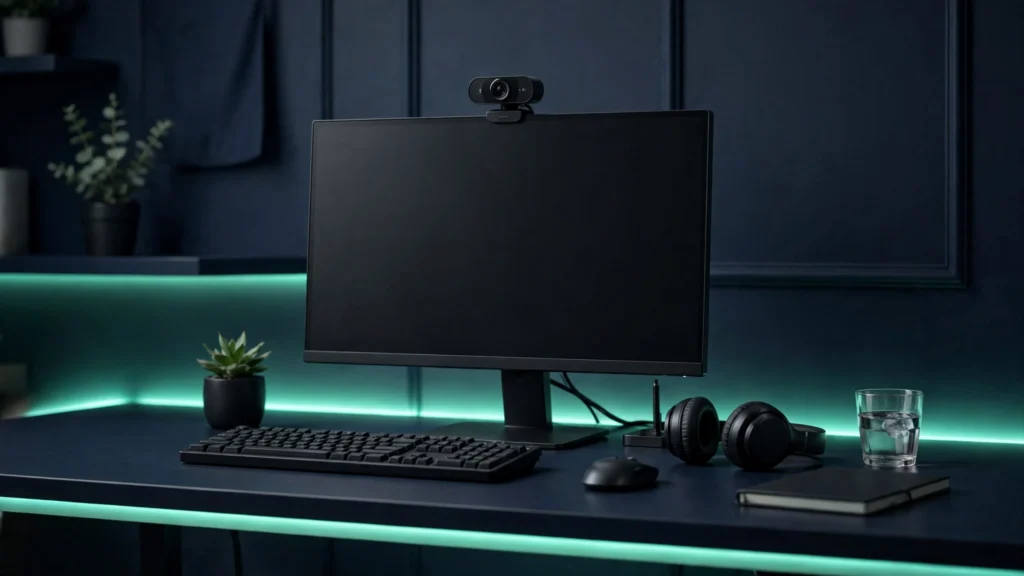
Best Webcams 2026: 7 Top Picks for Work, Streaming, and Calls
Your laptop’s built-in webcam was fine when video calls were an occasional novelty. In 2026, when work meetings, online classes, livestreams, and job interviews all happen on camera, “fine” is no longer good enough. A dedicated webcam gives you sharper video, better low-light performance, a wider or more flattering field of view, and often a far better microphone. This guide to the best webcams 2026 rounds up seven top picks for every budget and use case — and explains what actually matters before you buy.
A quick note on how to use this list: prices and exact models change through the year, so treat the price bands below as a guide and check the current price before you buy. What does not change is the buying logic — resolution, sensor size, autofocus, low-light handling, field of view, and microphone quality matter far more than a brand name on the box. Buy for the room you actually sit in, not the studio you wish you had.
Best Webcams 2026: What to look for in a webcam in 2026
Resolution is the headline number, but it is not the whole story. A 1080p webcam with a good sensor and good low-light processing will look better than a cheap 4K webcam with a tiny sensor that turns grainy the moment the sun goes down. For most work calls, 1080p at 30 frames per second is plenty. Step up to 4K if you stream, record content, or crop and zoom your video — 4K gives you room to reframe without losing sharpness. For fast movement, such as gaming streams, 60 frames per second matters more than raw resolution.
Low-light performance is where cheap webcams fall apart. If your room is lit by a single ceiling light or a window behind you, a good webcam will still keep your face bright and clear; a bad one will turn you into a grainy silhouette. Look for a larger sensor, a wider aperture, and auto-exposure that reacts quickly when light changes. Autofocus matters too: fixed-focus webcams are fine if you sit still at a fixed distance, but if you lean in, hold up a document, or move around, autofocus keeps you sharp instead of soft.
Field of view decides how much of the room the camera sees. A narrow field of view (around 65 to 78 degrees) frames just you — ideal for solo calls. A wider view (90 degrees or more) fits two people or shows more of your setup, which streamers often want, but it can also make you look small and distant on a solo call. Many good webcams let you adjust the field of view in software, which is the best of both worlds. Finally, do not ignore the microphone: a webcam mic will never beat a dedicated USB microphone, but a decent dual-mic array with noise reduction is perfectly usable for meetings, while a tinny single mic will make you sound distant even when you look great.
1. Best overall webcam for most people
The best overall pick is a mid-range 1080p or 1440p webcam with autofocus, good auto-exposure, and dual noise-reducing microphones, typically in the $70 to $130 band. This is the sweet spot: sharp enough to look professional on any meeting platform, reliable in ordinary room lighting, and easy to clip onto any monitor. It should include a privacy shutter — a physical cover you slide across the lens — because software “camera off” indicators are not a substitute for a lens you can see is covered.
Choose this category if you spend most of your camera time in work meetings, classes, or family calls. You do not need 4K, and you do not need studio lighting. You need a camera that makes you look clear and natural in the room you already have, without fiddling with settings before every call. Pair it with a cheap ring light or a desk lamp pointed at your face, not behind you, and you will look better than most people on the call.
2. Best budget webcam under $50
Budget webcams have improved enormously, and a good sub-$50 model now delivers clean 1080p video that embarrasses most laptop cameras. Expect fixed focus or basic autofocus, a narrower feature set, and a simpler microphone — but also expect a huge jump over a built-in camera, especially in sharpness and colour. This is the right pick for students, occasional callers, and anyone who wants a big improvement for little money.
The trade-offs are predictable: weaker low-light performance and less flattering colour in dim rooms. Mitigate them with light — sit facing a window during the day, or add an inexpensive desk lamp — and a budget webcam will serve you well. Do not pay extra for a budget model that claims 4K: at this price, that resolution usually comes from upscaling a weaker sensor, and the result looks worse, not better, than honest 1080p.
3. Best 4K webcam for streamers and creators
If you stream on Twitch or YouTube, record courses, or present to large audiences, a 4K webcam is worth the step up — typically $150 to $250. The extra resolution lets you crop, zoom, and reframe in software without dropping to a soft image, and the best models add AI framing that follows you as you move, background blur, and richer colour. Look for 4K at 30 frames per second as the baseline, and check whether the camera’s software lets you tune exposure, white balance, and sharpness manually.
Creators should also think about the rest of the setup. A 4K camera still looks mediocre in a dark room, and its built-in microphone still will not match a dedicated mic. If you are building a streaming setup, budget for light and audio alongside the camera — our best gaming headsets guide covers audio options that pair well with a streaming desk, and our phone photography tips explain lighting principles that apply just as well to video.
4. Best webcam for low-light rooms
Some rooms are just dark: a bedroom office with one lamp, evening calls after sunset, or a desk facing away from the window. For those rooms, prioritise sensor size and low-light processing over headline resolution. The best low-light webcams use larger sensors and smarter noise reduction to keep your face bright without turning the image into a smeary mess, and they handle mixed lighting — a bright window on one side, a dark wall on the other — without blowing out half the frame.
Even the best low-light camera benefits from one cheap fix: light your face. A small LED panel or ring light placed behind the camera, aimed at you, does more for your image than jumping from 1080p to 4K. If you take a lot of evening calls, spend $20 on light before you spend $100 extra on a camera.
5. Best webcam for Mac users
Mac users have a shortcut worth knowing: if you own a recent iPhone, Apple’s Continuity Camera lets you use the iPhone as a Mac webcam, wirelessly or wired, with far better quality than almost any dedicated webcam. It is not a product you buy — it is a feature you already own — and for many Mac owners it removes the need to buy a webcam at all. Mount the phone on the monitor with a small mount, and you get a large-sensor camera with excellent processing.
If you prefer a dedicated camera anyway, choose one with native macOS software support so you can adjust field of view, exposure, and framing without workarounds. Some Windows-first webcams ship with tuning software that is Windows-only, leaving Mac users stuck on defaults. Check software compatibility before you buy, not after.
6. Best wide-angle webcam for groups and classrooms
For two people sharing a desk, a small classroom, or a meeting room, a wide-angle webcam with a 90-degree or wider field of view, plus auto-framing that keeps everyone in shot, is the right tool. These models typically cost more than solo webcams, but they replace the awkward experience of squeezing together to fit in frame or constantly adjusting the camera. Look for dual microphones with a pickup range that covers the room, not just the person directly in front of the camera.
If you are setting up a home office for hybrid work, a wide-angle camera also pairs well with a good laptop — our best budget laptops guide covers machines that handle video calls, streaming, and everyday work without breaking the bank.
7. Best portable webcam for travel
Frequent travellers need something small, light, and tough enough to survive a laptop bag — a compact 1080p webcam with a built-in clip and a short, detachable cable, usually under $70. The best travel models skip bulky stands and software gimmicks in favour of plug-and-play simplicity: plug it in, and it works on any laptop, hotel TV, or borrowed monitor. A built-in privacy shutter is especially valuable here, since the camera will spend a lot of time rattling around in a bag.
Do not bring a large 4K streaming camera on the road unless you actually stream from hotels. The weight, the cable clutter, and the software setup are not worth it for meetings. Travel light, look sharp, and leave the studio gear at home.
Best Webcams 2026: Quick setup tips that matter more than the model
Whatever webcam you buy, four free fixes will improve your image more than a more expensive camera. First, put the camera at eye level or slightly above — a laptop camera shooting up your nose flatters nobody, so raise the laptop or use a monitor mount. Second, face your light source: window or lamp in front of you, not behind you, or you become a silhouette. Third, clean the lens — a smudged lens is the most common reason a good webcam looks bad. Fourth, test before important calls: open your meeting app’s preview, check framing, light, and audio, and fix problems when you have time, not thirty seconds before a job interview.
Conclusion
The best webcams 2026 are not about chasing the biggest resolution number — they are about matching the camera to your room, your light, and your actual use. Most people should buy a solid mid-range 1080p or 1440p webcam with autofocus and a privacy shutter. Streamers and creators should step up to 4K, travellers should go small and simple, and everyone should add light before they add megapixels. Buy the right camera for the calls you actually take, set it at eye level, face the light, and you will look like the most professional person on every call.
Pingback: Use Phone as Webcam: Complete 2026 Guide